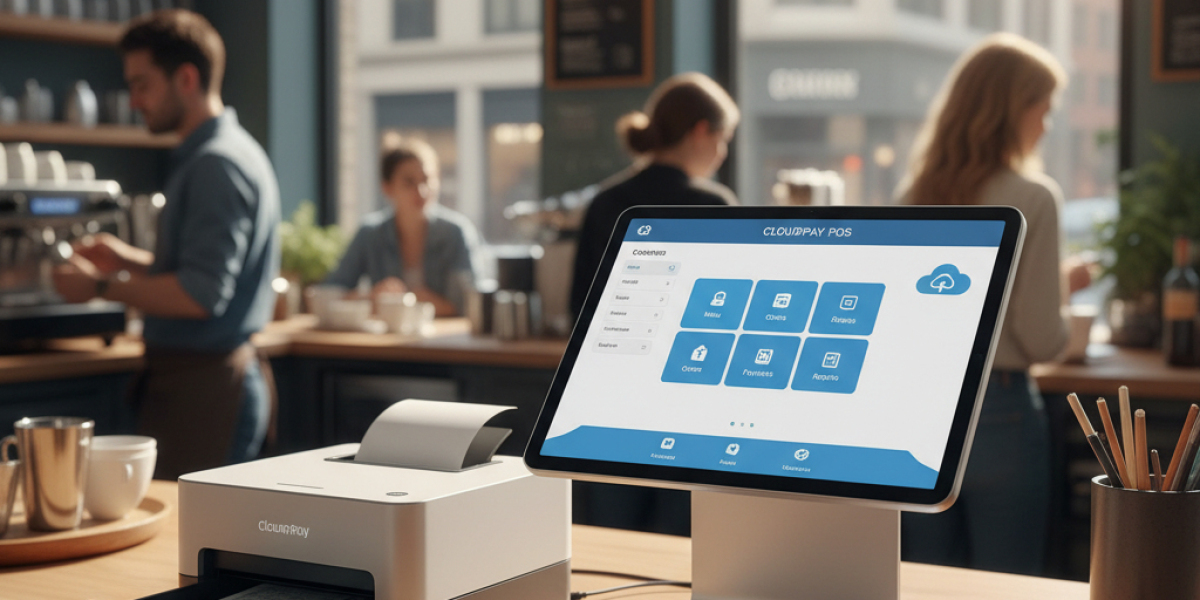
The retail industry is undergoing a digital revolution, and at its center is the cloud-based POS system. No longer just a tool for processing transactions, modern POS software has become the backbone of successful retail operations.
78% of retailers now use cloud-based solutions, and this shift isn't slowing down. The global cloud POS market is expected to reach $6.4 billion by 2027, driven by demand for flexibility, real-time data access, and cost-effective operations.
If you're searching for the Best Retail POS Software or wondering which cloud-based POS systems can transform your business, this guide provides everything you need to make an informed decision.
What Is a Cloud-Based POS System?
A cloud based POS system stores your business data—sales transactions, inventory, customer information—on secure remote servers accessible via the internet, rather than on local hardware.
Key Difference from Traditional POS:
- Traditional systems store data locally on expensive servers
- Cloud systems store data remotely, accessible from anywhere
- Traditional requires manual updates and maintenance
- Cloud updates automatically with zero downtime
This fundamental shift means you can manage your retail business from your smartphone while traveling, instantly access sales data across multiple locations, and scale operations without massive infrastructure investments.
Why Cloud-Based POS Systems Are Dominating Retail
- Dramatically Lower Costs
Traditional POS systems require $10,000-$20,000 in upfront hardware and software investments per location. Cloud-based POS systems operate on affordable monthly subscriptions, typically $50-$150 per month, with minimal hardware needs.
Cost Breakdown Comparison:
Traditional POS:
- Hardware: $8,000-$15,000
- Software licenses: $2,000-$5,000
- Installation: $1,000-$3,000
- Maintenance: $1,200+ annually
Cloud POS:
- Tablet/iPad: $300-$800
- Accessories: $200-$500
- Monthly subscription: $50-$150
- Maintenance: Included
The savings are clear—cloud systems reduce initial investment by up to 85%.
- Access Your Business Anywhere
Imagine monitoring today's sales during your morning coffee, checking inventory while meeting suppliers, or reviewing employee performance from home.
Cloud based POS systems provide complete business visibility from any device with internet access. This mobility is particularly valuable for multi-location retailers and busy owners managing multiple responsibilities.
- Real-Time Inventory Synchronization
Selling across physical stores, online platforms, and social media? The best retail POS software automatically syncs inventory in real-time across all channels.
When a customer purchases a product online, your in-store inventory updates instantly—eliminating overselling, reducing stockouts, and providing accurate availability information to customers everywhere.
- Automatic Updates and Security
Traditional systems require scheduled maintenance, manual updates, and often significant downtime. Cloud POS systems update automatically overnight, ensuring you always have the latest features and security patches without interrupting business operations.
Leading providers implement bank-level encryption, multi-factor authentication, and continuous security monitoring. According to cybersecurity experts, cloud systems experience 43% fewer security breaches than on premise solutions.
- Effortless Scalability
Opening a second location? Expanding to e-commerce? Adding a pop-up shop?
Cloud-based POS systems scale instantly. Simply add new users, locations, or devices through your dashboard—no expensive hardware purchases, complex networking, or IT consultants required.
Essential Features of the Best Retail POS Software
Comprehensive Inventory Management
Top systems provide:
- Real-time stock tracking across all locations
- Automatic low-stock alerts
- Barcode scanning and printing
- Product variants (size, color, style)
- Supplier management
- Purchase order creation
- Inventory transfer between locations
Real-World Impact: A fashion boutique reduced inventory discrepancies from 18% to less than 2% after implementing cloud inventory management.
Omni channel Integration
Modern retail is multichannel. Your POS must seamlessly connect:
- Physical store transactions
- E-commerce websites (Shopify, Woo Commerce, Magento)
- Social commerce (Instagram Shopping, Facebook Marketplace)
- Online marketplaces (Amazon, eBay, Etsy)
Customers expect consistent experiences whether shopping in-store, online, or via mobile—the best cloud based POS systems deliver this unified experience.
Advanced Reporting & Analytics
Data-driven retailers outperform competitors. Essential reports include:
- Sales by product, category, employee, time period
- Profit margin analysis by product
- Customer purchase patterns and preferences
- Inventory turnover rates
- Peak sales hours and seasonal trends
- Employee performance metrics
Case Study: A three-location sporting goods retailer discovered through analytics that Thursday afternoons had 40% lower traffic—they shifted staff schedules and reduced labor costs by $28,000 annually without impacting service quality.
Customer Relationship Management (CRM)
Build lasting relationships with integrated CRM features:
- Purchase history tracking
- Personalized marketing campaigns
- Loyalty program management
- Birthday and anniversary promotions
- Targeted email and SMS marketing
- Customer segmentation
Statistics show that repeat customers spend 67% more than new customers—effective CRM drives profitability.
Flexible Payment Processing
Accept every payment method customers prefer:
- Credit and debit cards (Visa, Mastercard, Amex)
- Contactless payments (NFC, tap-to-pay)
- Mobile wallets (Apple Pay, Google Pay, Samsung Pay)
- Buy Now, Pay Later (Klarna, Afterpay, Affirm)
- Gift cards and store credit
- Split payments
Employee Management Tools
Streamline workforce management with:
- Time clock integration
- Sales performance tracking
- Commission calculations
- Role-based access permissions
- Shift scheduling
- Employee productivity reports
Offline Mode Capability
Internet outages shouldn't stop business. Quality cloud-based POS systems include offline functionality that continues processing sales locally, then automatically syncs when connectivity returns.
This feature is critical—according to retail industry data, the average store experiences 4-6 internet disruptions monthly.
How to Choose the Best Cloud-Based POS System for Your Retail Business
Step 1: Define Your Requirements
Consider your specific needs:
Store Size & Type:
- Single location or multi-store chain?
- Product complexity (simple items vs. variants/configurations)?
- Average daily transaction volume?
Integration Needs:
- Current e-commerce platform?
- Accounting software in use?
- Existing loyalty programs?
Budget Constraints:
- Monthly subscription budget?
- Available capital for hardware?
- Acceptable payment processing rates?
Step 2: Evaluate Total Cost of Ownership
Look beyond monthly subscription fees:
- Software subscription: $50-$200/month typically
- Payment processing: 2.6% + $0.10 per transaction average
- Hardware: $500-$2,000 for complete setup
- Implementation: Often included, sometimes $500-$2,000
- Training: Usually free, occasionally charged
Pro Tip: Calculate based on your monthly sales volume. A store processing $50,000 monthly pays approximately $1,300-$1,750 in processing fees alone—make sure you understand these costs.
Step 3: Test Multiple Systems
Never commit without testing. Most providers offer 14-30 day free trials. During testing:
✅ Process sample transactions
✅ Test inventory management workflows
✅ Generate and review reports
✅ Evaluate ease of use and learning curve
✅ Test mobile app functionality
✅ Contact customer support with questions
Create a comparison spreadsheet rating each system on critical features.
Step 4: Verify Integration Capabilities
Your POS must work seamlessly with existing tools:
Critical Integrations:
- Accounting software (QuickBooks, Xero, FreshBooks)
- E-commerce platforms
- Email marketing tools (Mailchimp, Klaviyo)
- Loyalty apps
- Payment processors
Red Flag: If a system doesn't integrate with your current tools, you'll face manual data entry—defeating the purpose of automation.
Step 5: Assess Vendor Reliability
Research potential providers thoroughly:
- How long have they been in business?
- What's their customer review rating?
- Do they serve retailers similar to you?
- What's their system uptime guarantee?
- Is customer support available 24/7?
- What training resources do they provide?
Warning Sign: Vendors unwilling to provide references or case studies may lack proven success.
Top Features That Separate Best Retail POS Software from Competitors
Intelligent Inventory Predictions
Advanced systems use AI to predict:
- Optimal reorder quantities
- Seasonal demand fluctuations
- Trending products requiring increased stock
- Slow-moving items for clearance
Result: Retailers using AI-powered inventory reduce overstock by 35% and stockouts by 28%.
Customer-Facing Displays
Modern checkout experiences include customer-facing screens showing:
- Itemized purchases in real-time
- Promotional offers and upsells
- Loyalty points earned
- Digital receipt options
- Survey and review requests
Research shows customer-facing displays increase upsell acceptance by 23%.
Built-In E-Commerce Capabilities
The best systems include native online stores, eliminating the need for separate e-commerce platforms. Features include:
- Synchronized inventory
- Unified customer database
- Consistent branding
- Integrated shipping management
- Single dashboard for all sales channels
Advanced Security Features
Beyond standard encryption, top systems provide:
- PCI DSS compliance
- Tokenization of payment data
- Fraud detection algorithms
- Detailed audit trails
- Role-based access controls
- Automatic data backups
Real-World Success: Cloud POS Transformations
Example 1: Independent Bookstore
A family-owned bookstore struggled with outdated inventory systems and limited customer insights. After implementing a cloud-based POS system:
Results After 6 Months:
- Inventory accuracy improved from 73% to 99%
- Checkout speed increased by 45% (from 3.2 to 1.8 minutes average)
- Customer loyalty program enrollment grew 340% (easier signup process)
- Online sales launched, adding $12,000 monthly revenue
- Reduced software costs by $4,200 annually
The owner stated: "We finally understand our business. We know which books sell, which authors our customers love, and when to order. It's transformed how we operate."
Example 2: Regional Clothing Chain
A five-location boutique clothing chain needed better multi-store management. Their cloud POS implementation delivered:
Key Outcomes:
- Eliminated inventory transfer delays (previously 2-4 days, now instant)
- Reduced shrinkage by 58% through better tracking
- Customer satisfaction scores increased by 31%
- Cross-store sales enabled—customers can buy from any location's inventory
- Management time saved: 15 hours weekly on reporting
Common Mistakes When Selecting Cloud Based POS Systems
❌ Choosing Based on Price Alone
The cheapest system often costs more through:
- Hidden processing fees
- Limited functionality requiring workarounds
- Poor support leading to lost sales
- Inability to scale with growth
❌ Ignoring Payment Processing Rates
Some "affordable" systems charge 3-4% per transaction. For a $50,000 monthly revenue store, that's $1,500-$2,000 in fees—far exceeding subscription costs of most premium systems.
❌ Underestimating Training Needs
Even intuitive systems require proper training. Rushing implementation without adequate staff training leads to:
- Transaction errors
- Underutilized features
- Employee frustration
- Customer service issues
Best Practice: Allow 2-3 days of comprehensive training before going live.
❌ Overlooking Contract Terms
Read the fine print carefully:
- Contract length and auto-renewal clauses
- Cancellation policies and fees
- Data ownership and export rights
- Price increase provisions
- Support limitations
❌ Failing to Plan Data Migration
Moving from an old system requires careful planning:
- Export and clean existing data
- Map old data fields to new system
- Test imported data for accuracy
- Verify inventory quantities before going live
Frequently Asked Questions (FAQ)
Q1: What is the difference between cloud based and traditional POS systems?
A: Cloud based POS systems store data on remote servers accessible via internet from any device, while traditional systems store data locally on expensive on-site servers. Cloud systems update automatically, cost less upfront (subscription vs. $10,000+ purchase), and provide anywhere-access to your business data.
Q2: How much does the best retail POS software cost?
A: Pricing varies by features and business size. Expect $50-$150 monthly for basic plans, $150-$300 for professional plans with advanced features, and $300+ for enterprise solutions. Additionally, budget for payment processing fees (typically 2.6% + $0.10 per transaction) and initial hardware costs ($500-$2,000).
Q3: Can cloud based POS systems work without internet?
A: Yes, quality systems include offline mode that continues processing sales locally during internet outages. All transactions automatically sync with the cloud once connectivity is restored. Always verify this feature before purchasing, as it's essential for business continuity.
Q4: Is my data secure with cloud based POS systems?
A: When choosing reputable providers, yes—often more secure than traditional systems. Top cloud POS providers use bank-level encryption, PCI DSS compliance, multi-factor authentication, and continuous security monitoring. Data is backed up automatically across multiple secure data centers.
Q5: How long does it take to set up a cloud POS system?
A: Setup time ranges from same-day for simple single-location stores to 2-4 weeks for complex multi-location implementations. Factors affecting timeline include data migration complexity, staff training requirements, hardware setup, and integration with existing systems.
Q6: Can I use my existing hardware with cloud POS software?
A: Often yes. Most cloud systems work with standard tablets (iPads, Android devices), computers, and common peripherals. However, specialized equipment like barcode scanners and receipt printers should be verified for compatibility before purchasing.
Q7: What happens to my data if I cancel my subscription?
A: Reputable providers allow you to export your complete data (sales history, inventory, customer information) before cancellation. Always verify data export policies and formats before committing to ensure you maintain access to your business information.
Q8: How do cloud based POS systems handle multiple locations?
A: The best systems provide centralized dashboards showing real-time data across all locations, inventory transfers between stores, consolidated reporting, location-specific analytics, and unified customer databases. You can manage everything from a single interface regardless of location count.
Conclusion: Choosing the Best Cloud-Based POS System for Your Success
The retail landscape has fundamentally changed. Cloud based POS systems are no longer optional—they're essential for competitive retail operations in 2025.
The best retail POS software delivers far more than transaction processing. It provides real-time business intelligence, seamless omnichannel experiences, automated inventory management, and the flexibility to adapt as your business grows.
Key Takeaways:
✅ Cloud systems reduce upfront costs by up to 85% compared to traditional POS
✅ Real-time data access enables better, faster business decisions
✅ Automatic updates and security patches eliminate maintenance headaches
✅ Omni channel integration creates consistent customer experiences
✅ Scalability allows growth without expensive infrastructure investments
Whether you're a single-location boutique or a multi-store chain, the right cloud-based POS system transforms operations, improves customer satisfaction, and drives profitability.
Ready to modernize your retail operations? Start by defining your must-have features, testing systems with free trials, and calculating your total cost of ownership.
The future of retail is cloud-based. The retailers thriving in 2025 aren't asking if they should switch—they're choosing which system will help them succeed.
Get Started Today: Discover how CherryBerry RMS combines the power of the best cloud-based POS systems with an intuitive design and affordable pricing. Book your free demo to see our platform in action, or explore our complete Restaurant Management System for comprehensive retail and hospitality solutions.